Character design
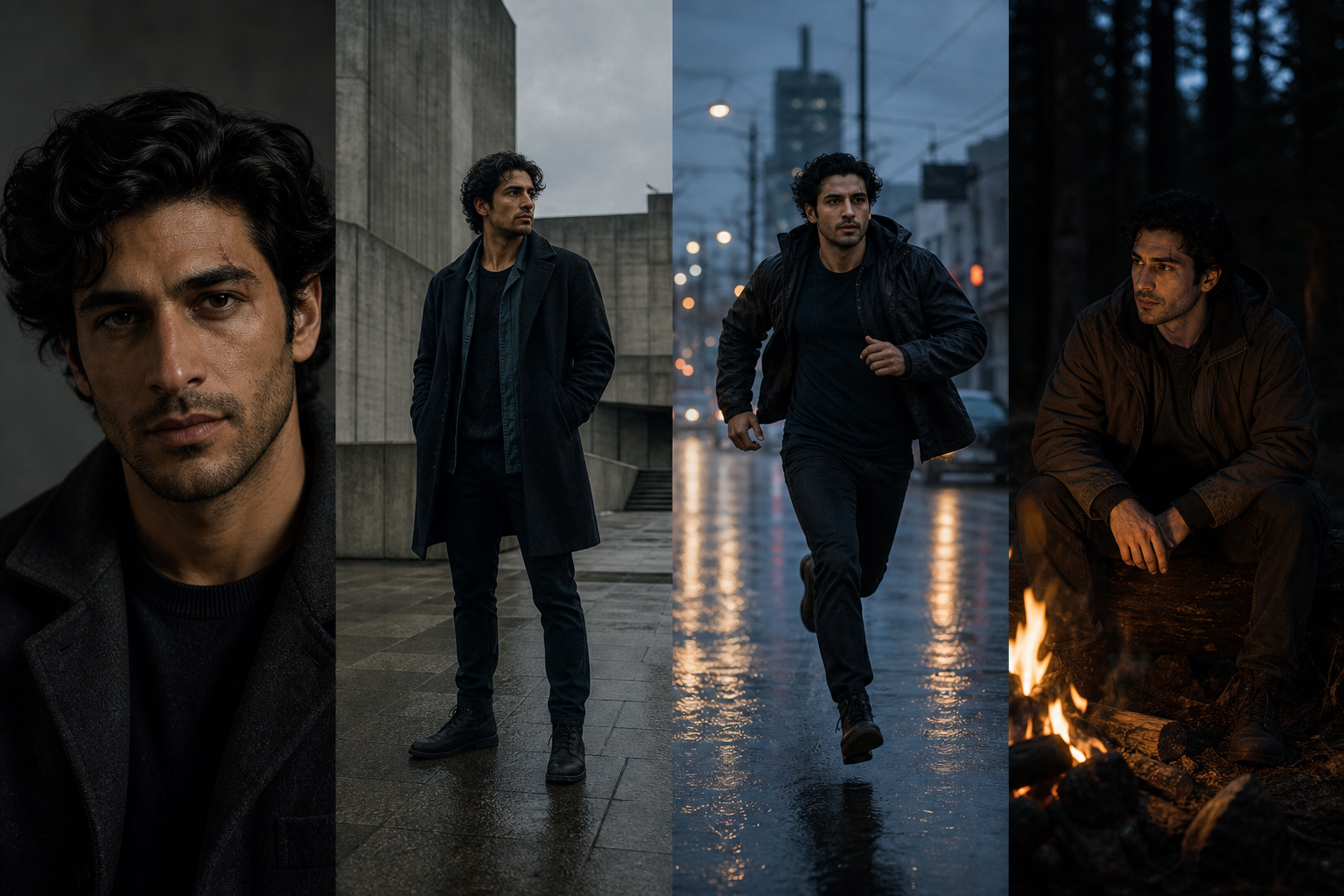
Same character. New moment.
Create the anchor, keep the identity, and move the character into poses, expressions, scenes, and character-sheet views that still belong to the same world.
Imagine Image treats consistency as part of creation: refine what matters, change the moment, and carry the strongest result into the next image.
Refine without resetting the story
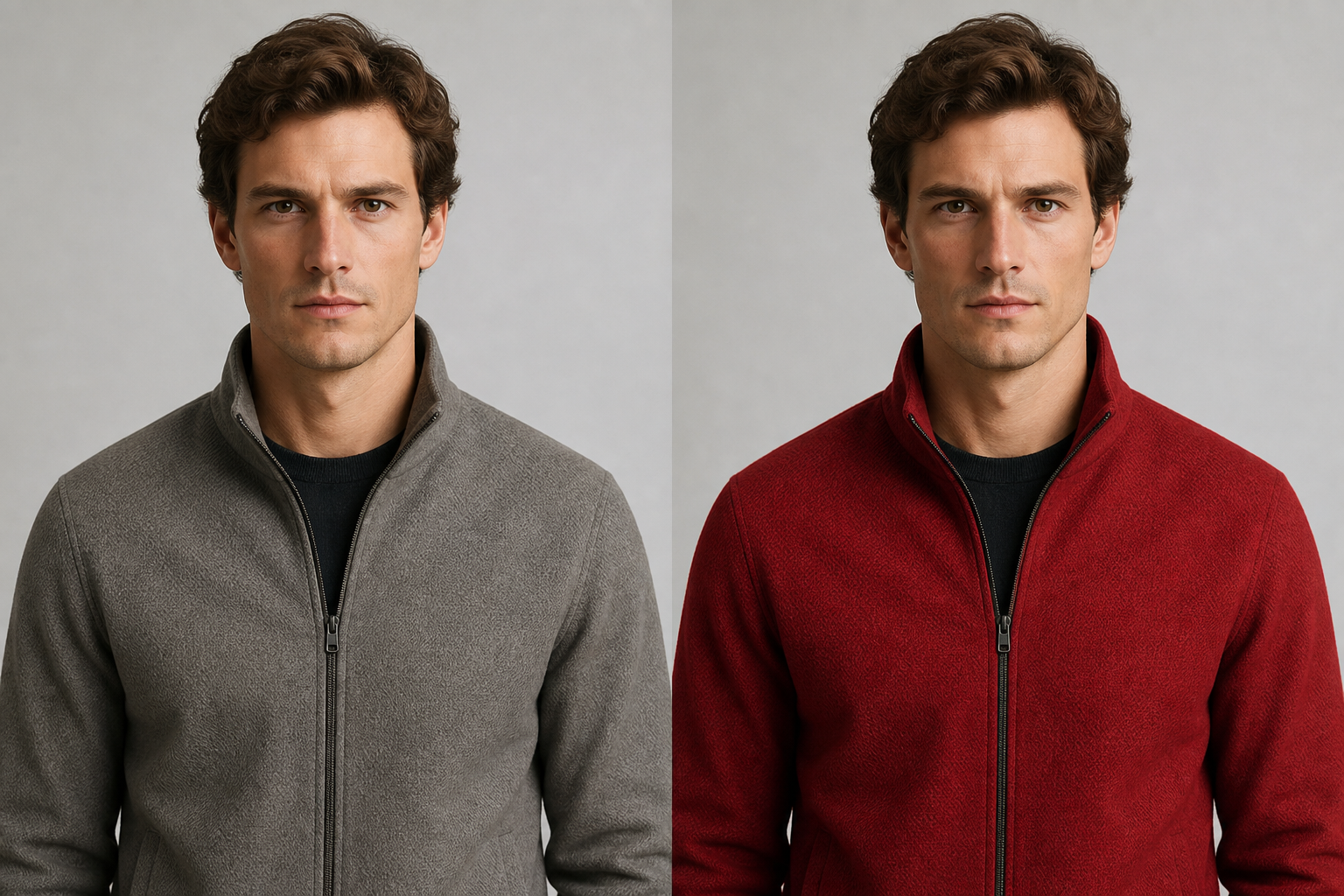
Change the jacket. Keep the character.
The first portrait is a starting point, not a file you have to abandon when one detail is wrong. Describe the clothing, material, expression, or lighting change while preserving the identity that already works.
“Make the jacket red leather. Keep the face, hair, pose, and lighting connected to the original character.”
Keep what matters
Give the character traits that can carry a series.
Make the visual decisions explicit so a new pose or scene still belongs to the same character. Consistency is not a separate utility; it is part of the design brief.
- 01
Silhouette. Define the shape, proportion, posture, and outline that make the character readable.
- 02
Face. Establish eyes, hair, expression range, defining marks, and recognizable features.
- 03
Materials. Choose clothing, accessories, texture, color, and surface details with a point of view.
- 04
Story. Give the character an action, world, mood, or visual question that can evolve.
From design to series
The next prompt should have somewhere recognizable to begin.
Use the anchor image as a reference, then change the moment with a clear instruction about what moves and what stays fixed.
- 01
Pose. Running profile, hands visible, leaning against a wall, or looking over the shoulder.
- 02
Expression. Curious, focused, surprised, calm, or carrying the emotion the scene needs.
- 03
Scene. Market, rooftop, forest, spaceship, or another world that expands the character’s story.
- 04
Sheet. Front, side, back, close-up, expression, outfit, or pose views that make the identity reusable.
Consistent creation
Keep the identity while the moment changes.
A character series should not feel like a collection of unrelated portraits. Carry the face, silhouette, palette, materials, and defining marks forward while the pose, camera, environment, or action opens a new part of the story.
Same character. New moment. More of the story stays intact.
A useful brief says
Keep: face, silhouette, palette, materials, and defining marks.
Change: pose, expression, clothing, camera, environment, or action.
Carry: the strongest result as a reference for the next image.
The character workflow
Turn one character into a reusable creative asset.
Keep each result connected to the design decisions that made the character useful in the first place.
- 01
Imagine. Describe the character’s role, visual language, traits, and world.
- 02
Create. Generate a strong first identity with a clear silhouette and face.
- 03
Refine. Change clothing, materials, expression, or details without starting over.
- 04
Keep identity. Use a character reference to preserve recognizable traits across images.
- 05
Explore. Create new poses, expressions, scenes, and character-sheet views.
- 06
Reuse. Carry the strongest result into the next image as a reference.
Keep creating
A character design is a new starting point.
Keep the identity moving into another series, another detail, or a reusable asset for the next visual scene.
Questions before the next moment
The identity stays useful while the story keeps opening.
Use the answers below as a brief for the next character image, not as a limit on what the character can become.
- What is AI character design?
- It uses text and visual references to create a character, refine the identity, and develop new poses, expressions, scenes, and reusable views.
- How do I make a character I can keep using?
- Establish a clear silhouette, face, palette, materials, and defining traits, then use the strongest image as a character reference for new creations.
- Can I create a character sheet?
- Yes. Ask for front, side, back, close-up, expression, pose, or outfit views while keeping the character’s identity connected.
- What can I do after designing a character?
- Make a variation, edit a detail, remove the background, create a consistent series, or use the character as a reference for a new scene.
A character you can keep creating with
Give the first design a next moment.
Create the identity, refine the details, and carry the character into the images that come after.
Create a character